Projects and workbench
Home
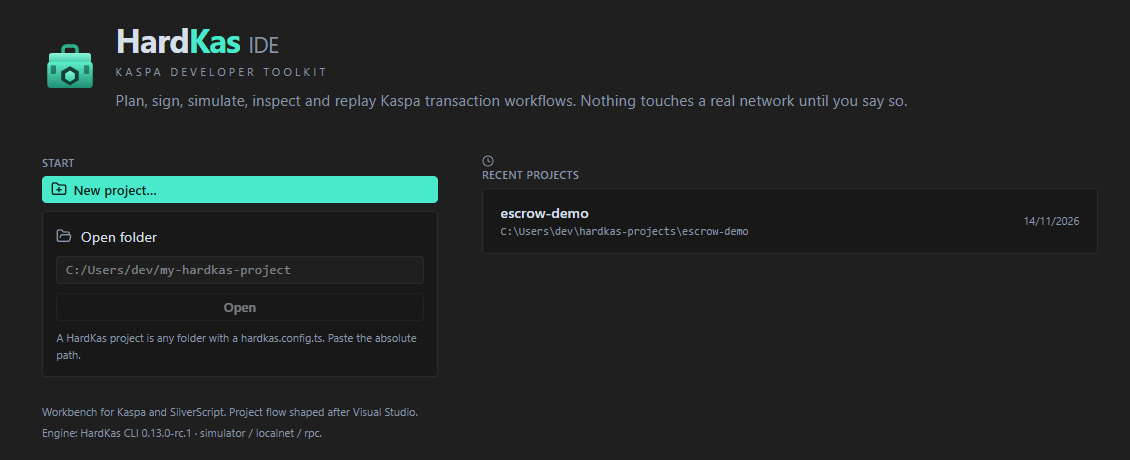
- New project… opens the wizard below.
- Open folder: paste the folder's absolute path and press Open. There is no folder picker yet.
- Recent projects: the last 12 you opened.
A HardKAS project is a folder with hardkas.config.ts. To come back to Home, click the logo at the top left. File → Exit also goes Home; close the window to quit.
New project
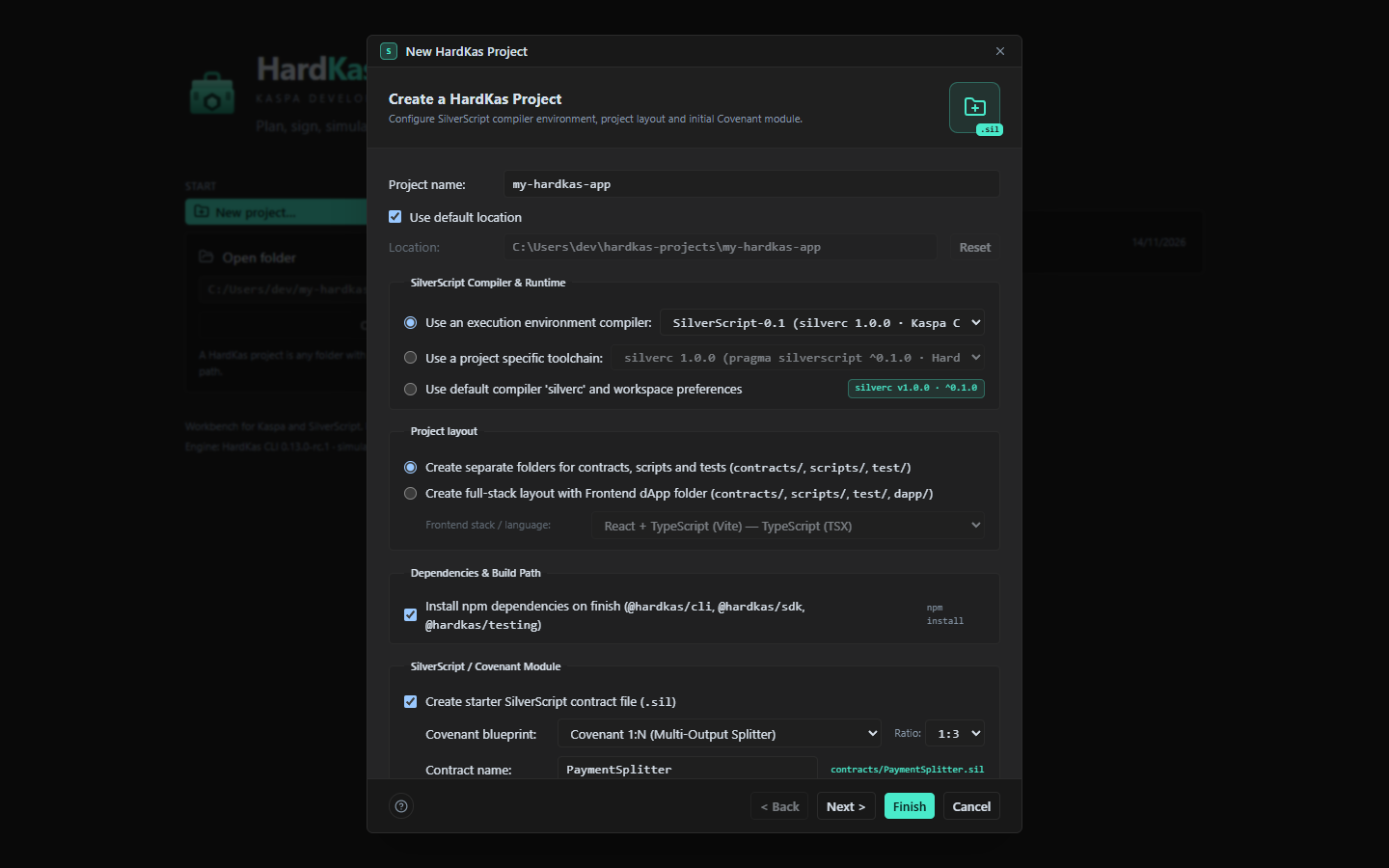
| Field | What it does |
|---|---|
| Project name | Letters, digits, ., _ and -. |
| Location | The parent folder. It must exist; the new folder must not. |
| Project layout | Folders for contracts, scripts and tests, or full-stack with a frontend in dapp/ (React, Vue, Svelte, Next.js or vanilla). |
| Install npm dependencies | On by default: installs @hardkas/cli, @hardkas/sdk and @hardkas/testing. |
| Starter contract | A first .sil file from a covenant blueprint (1:N, 1:1, Escrow 2-of-3, Timelock, Basic). |
Finish runs hardkas init, writes the files, runs npm install and opens the project.
Watch out:
- The default parent,
hardkas-projectsin your user folder, is not created for you. Create it first, or Finish fails with "Parent folder does not exist". - If Finish fails halfway, delete the half-made folder before trying again ("Destination already exists").
- On macOS and Linux, check the Location field before Finish.
The workbench
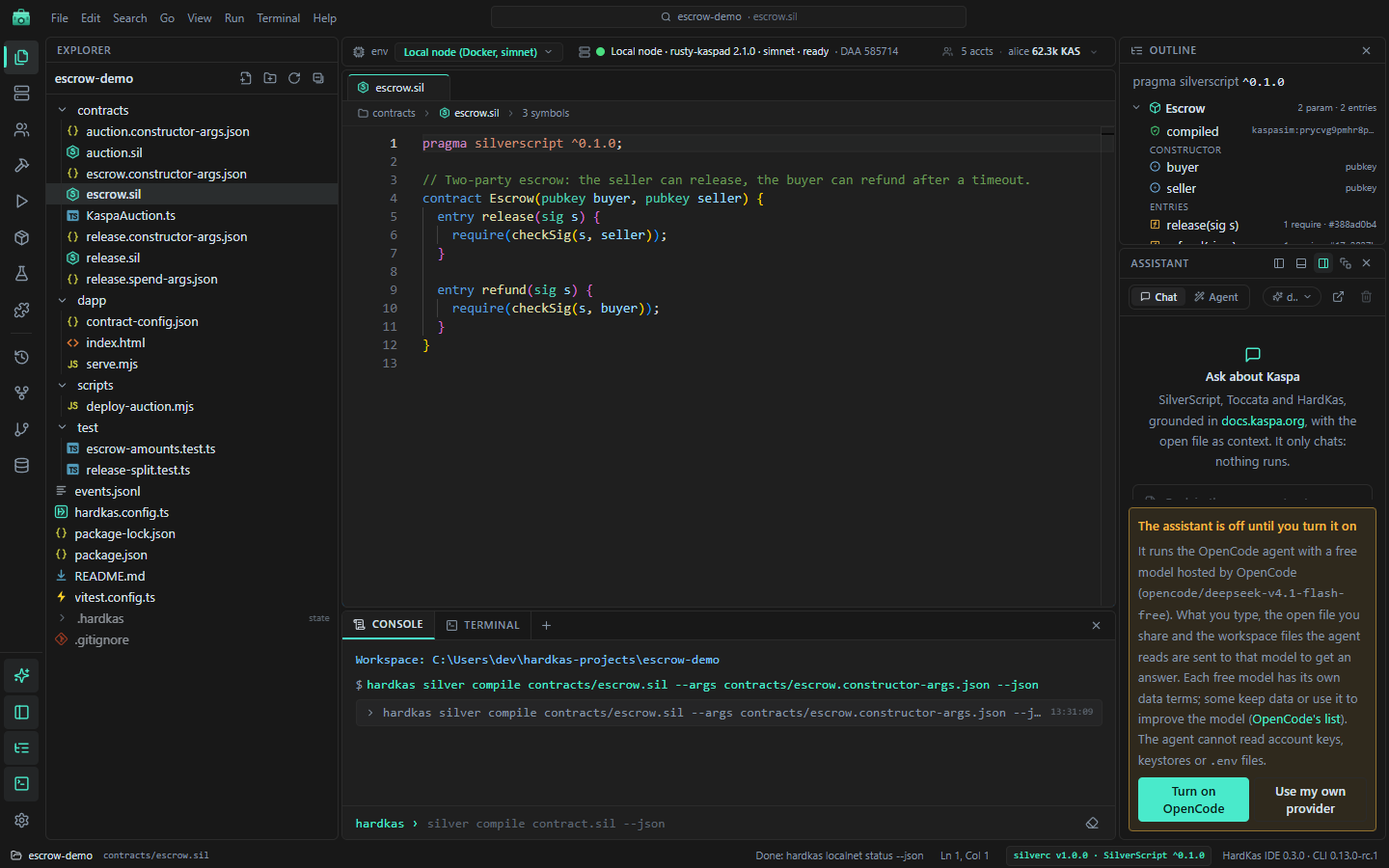
| Area | What is there |
|---|---|
| Title bar (top) | Logo (Home), menus, Quick Open box, Update button when a release is out. |
| Environment bar | Simulator / Local node / Public testnet, node state, accounts and balances (hover to see them all). |
| Icon rail (left) | One icon per view. The bottom icons show or hide the Assistant, side bar, Outline, console and Settings. |
| Side panel | The view picked in the rail: Explorer, Servers, Accounts, compiler, Deploy & Run… |
| Editor (centre) | File tabs and the large views: Run history, Covenant Graph, Lineage, Index. |
| Right dock | Outline of the open .sil file (constructor, entries, address) and the Assistant. |
| Bottom panel | Console and terminals. |
| Status bar | Project, file, cursor, IDE and CLI versions. |
Moving views
Each view's header has four buttons: Dock left, Dock below the Explorer, Dock right and Open as a tab. The X hides a view; its rail icon brings it back. If the layout gets messy: View → Layout → Reset panel layout.
Right-click a tab to close others or Detach it into its own window. Use Dock back to return it.
Command palette and search
| Keys | Opens |
|---|---|
| Ctrl+P | Files (type file:line to jump to a line) |
| Ctrl+Shift+P or Ctrl+K | Commands, including every hardkas command as "CLI: hardkas …" |
| Ctrl+Shift+O | Symbols in the file |
| Ctrl+G | Go to line |
| Ctrl+H | Search in files (text, SilverScript or TypeScript symbols) |
Watch out: Replace All in the search dialog writes to disk at once, with no confirmation.
Shortcuts
| Keys | Action |
|---|---|
| Ctrl+S / Ctrl+Shift+S | Save (editor focused) / save all |
| Ctrl+Enter | Compile the open .sil file |
| Ctrl+B | Side bar |
| Ctrl+J or Ctrl+` | Console and terminal panel |
| Ctrl+Shift+` | New terminal |
| Ctrl+= / Ctrl+- / Ctrl+0 | Zoom in / out / reset |
| F5, F9, F10, F11 | Debug tests |
F5 only debugs when a test file is open; elsewhere the window may reload, so save first.
File → New (Ctrl+N) creates files from templates (contract, covenant, test suite…). It overwrites a file with the same name without asking.