Artifacts, history and index
Everything HardKAS does leaves an artifact under .hardkas/artifacts: plans, signed transactions, receipts, SilverScript records. The IDE shows them four ways and never edits them.
 Run history
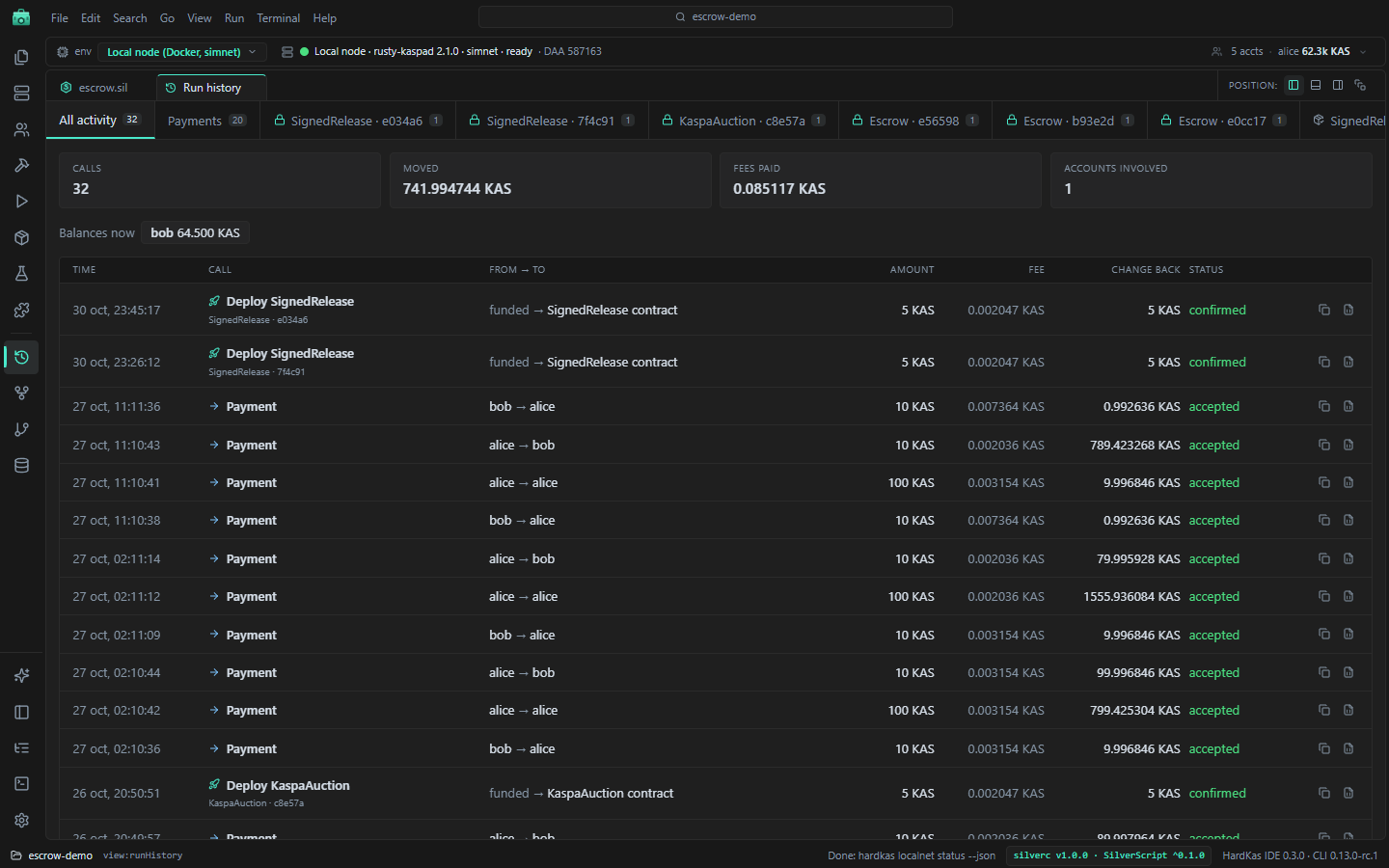
A readable log of what you did: payments, deploys and contract calls, with amounts, fees, change and status. One tab for everything, one for payments and one per deployed contract. Open it from the rail or the Run history button in Deploy & Run.
 Artifacts panel
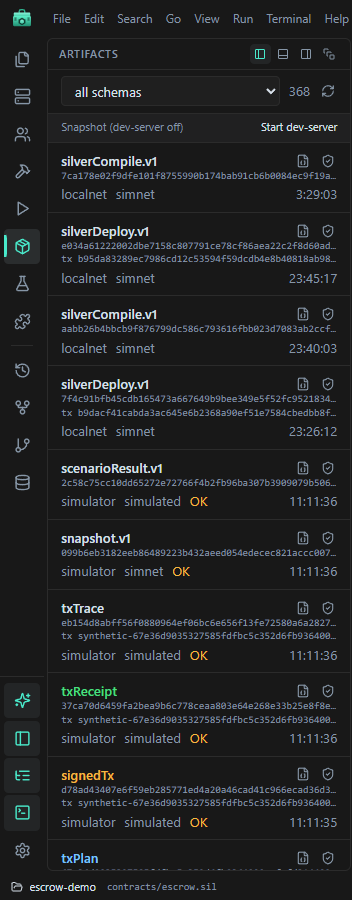
Every artifact, newest first, with a filter by kind. Open JSON opens the file; Replay verify (shield) asks HardKAS to replay it.
The Artifacts panel and Lineage are live when HardKAS' dev-server runs (hardkas dev). Without it they show a snapshot from disk and a Start dev-server button. Replay verify needs the dev-server.
 Lineage
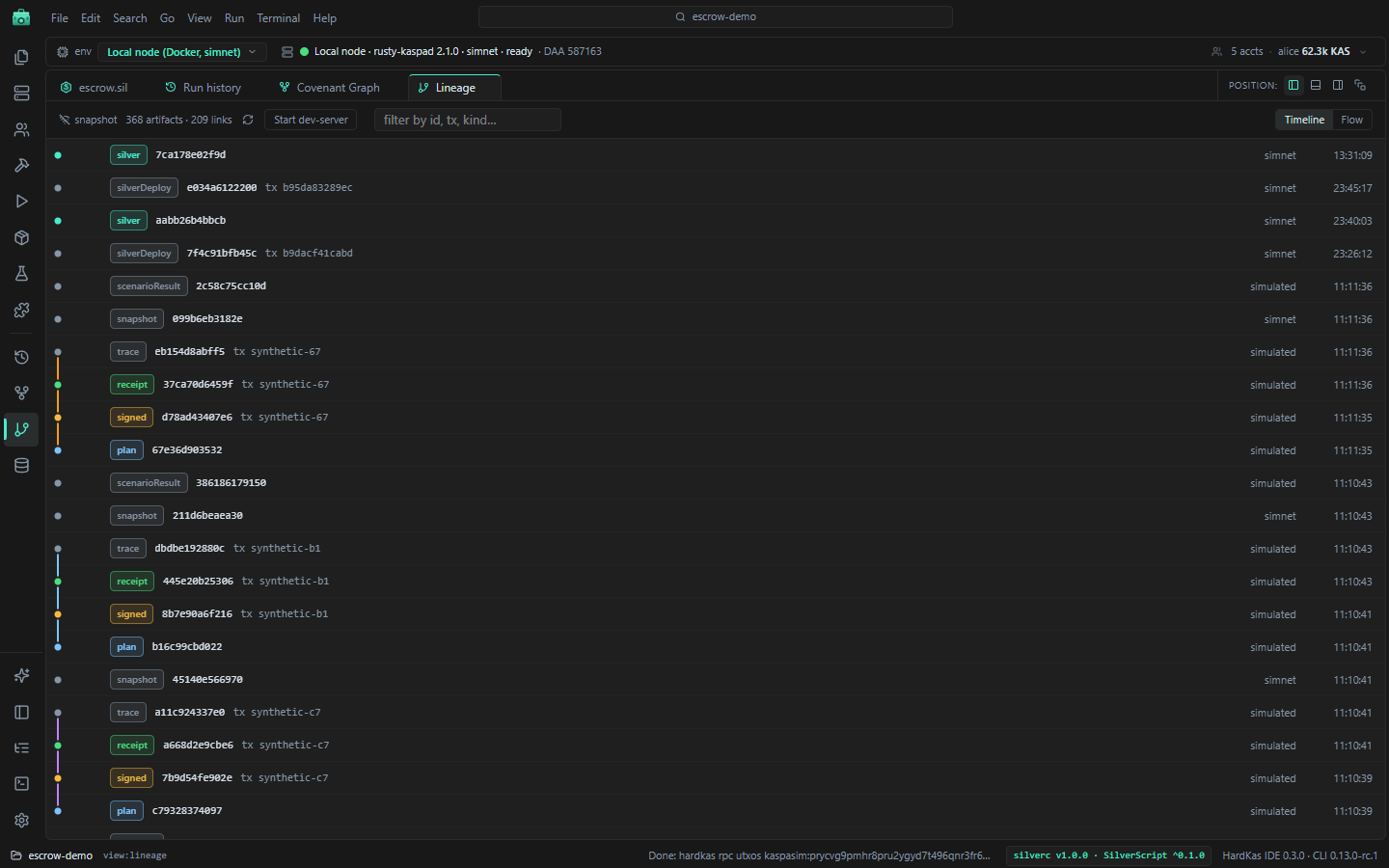
How artifacts lead to each other: plan → signed → receipt, and so on. Timeline shows one row per artifact with colored lanes; Flow draws a graph. Click an artifact for its details, its JSON and Replay verify.
 Index
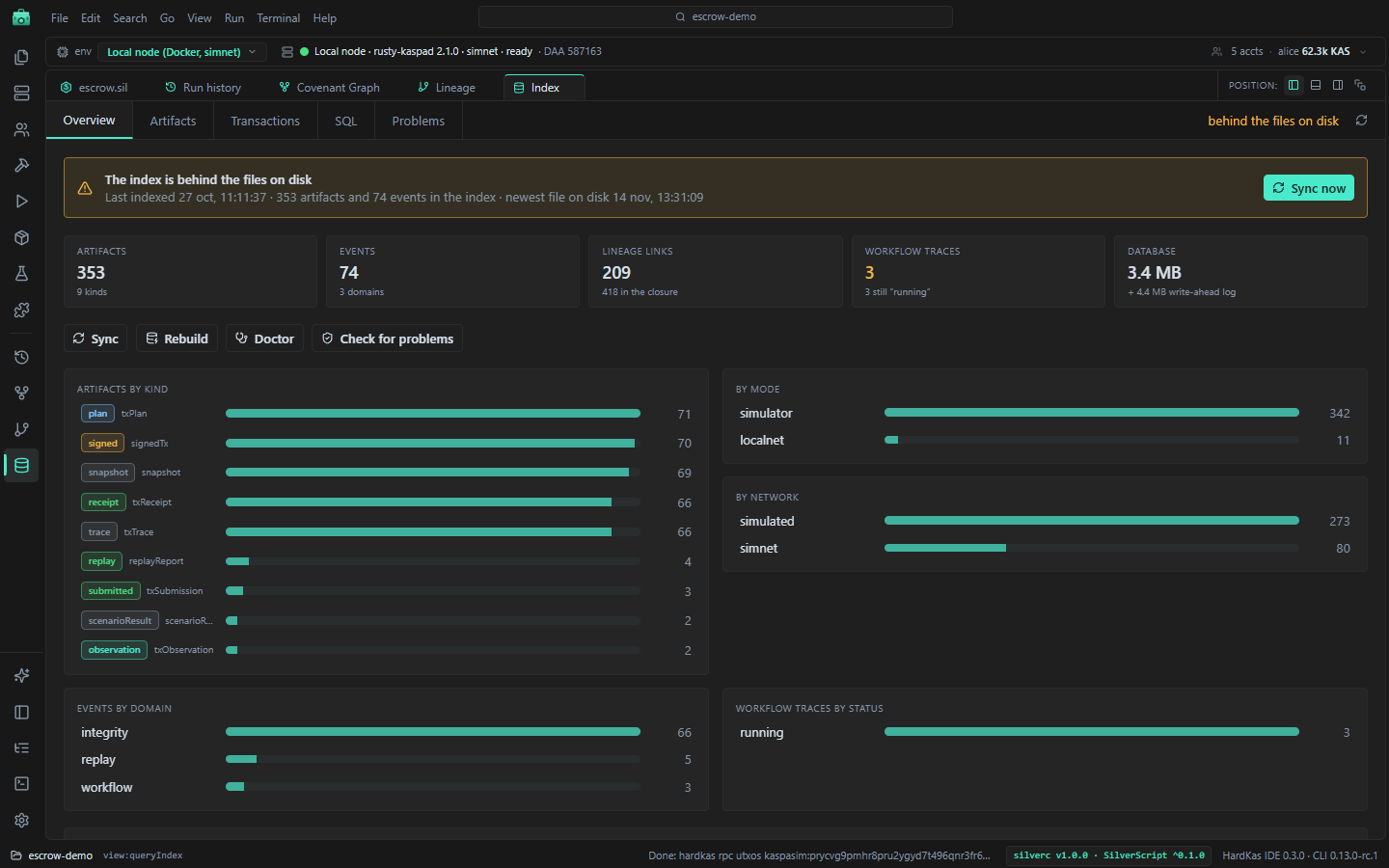
HardKAS keeps an index of artifacts, events and lineage in .hardkas/store.db. The Index view reads it; changes go through the CLI.
| Tab | What it does |
|---|---|
| Overview | Counts and charts. When the index is behind the files, Sync now. Buttons for Sync, Rebuild, Doctor and Check for problems. |
| Artifacts | Searchable table; select a row for its JSON, lineage and a comparison with another artifact. |
| Transactions | Paste a transaction id to see its plan, signature, receipt and events. Explain runs hardkas explain --tx. |
| SQL | Read-only SQL: one SELECT at a time, up to 500 rows. Ctrl+Enter runs it. |
| Problems | Run all checks: doctor, verification, broken lineage, replay differences. |
The counts are the index's; a few files on disk are left out on purpose, so they will not match a file count.