HardKAS IDE
A desktop app for HardKAS projects: editor, SilverScript compiler, Deploy & Run, local node, accounts, artifacts, tests, terminals and an assistant, in one window. For downloads and a visual overview, see the HardKAS IDE landing page. It has its own releases on KasLabDevs/HardKasIDE. These pages describe version 0.3.0.
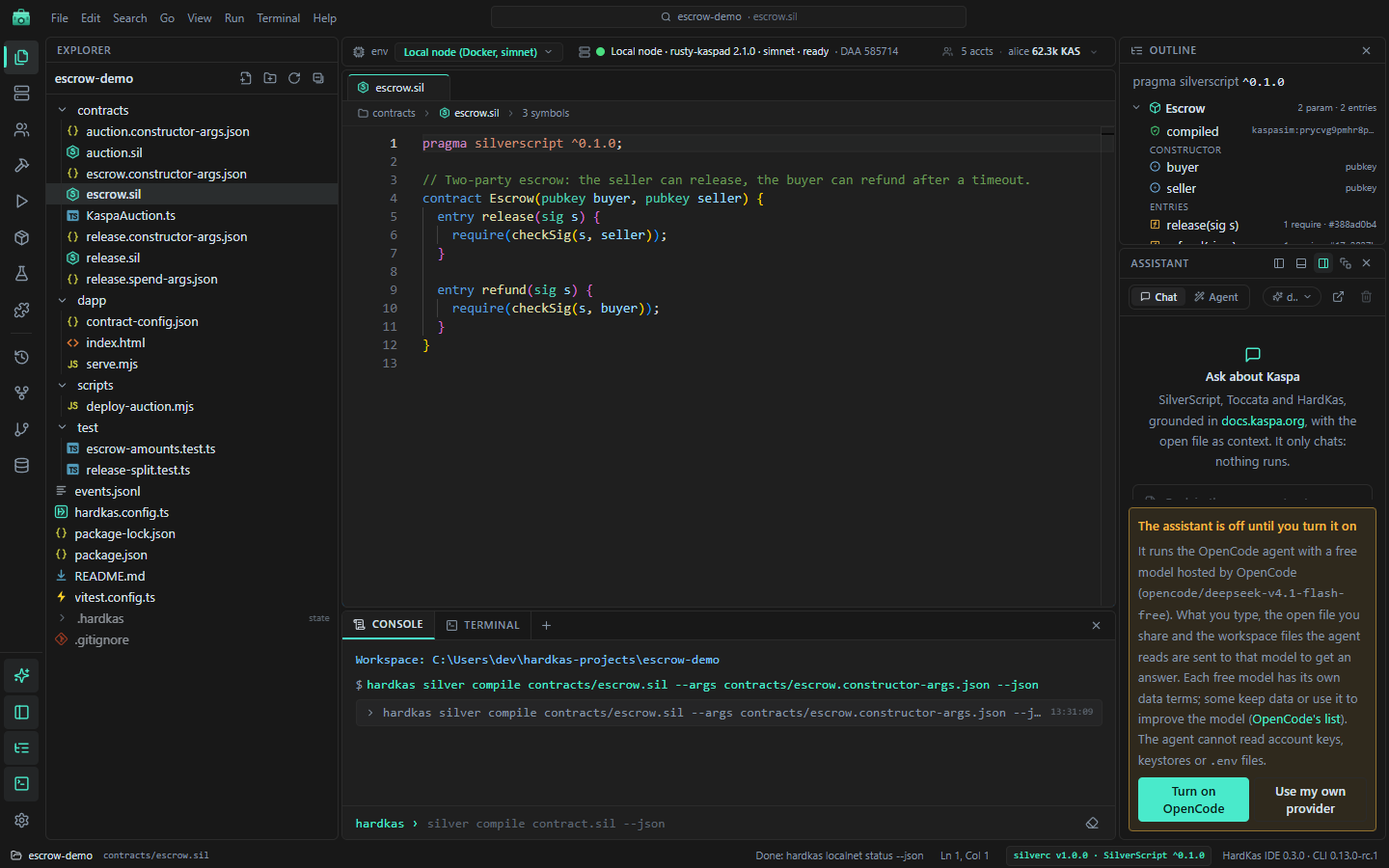
How it works
- It runs the HardKAS CLI. Every button is a
hardkascommand. The Console shows each one, and the records are the CLI's own artifacts under.hardkas/. - A project is a normal folder with
hardkas.config.tsand.hardkas/. Open it from a terminal or another editor whenever you like. - It runs on your machine. The app starts a small server at
http://127.0.0.1:7421that only answers the machine itself.
Environments
Pick one in the environment bar at the top:
| Environment | What it is | Needs |
|---|---|---|
| Simulator (in-memory) | HardKAS' synthetic simulator. Instant, no node. | Nothing |
| Local node (Docker, simnet) | HardKAS' own rusty-kaspa node on a private simnet. | Docker Desktop |
| Public testnet (RPC) | Kaspa testnet-10. | Network, testnet coins |
They are separate worlds: what exists in one does not exist in the others, and a result on the simulator or the local node says nothing about testnet.
The IDE starts on Local node. It works with one local node, HardKAS' own; the Cluster of extra nodes from earlier versions was removed in 0.3.0.
What it needs
- Node.js 24.22.1 with npm on the
PATH. - Docker Desktop for the local node (not for the simulator).
- Internet to create projects, and for testnet, the assistant, update checks and extensions.
The IDE uses the project's own hardkas CLI when there is one, otherwise npx @hardkas/cli. The status bar shows the version and turns amber if it is not the one the IDE was tested with.
Pages
| Page | What it covers | |
|---|---|---|
| Install and first start | Installers, unsigned-installer warnings | |
 | Projects and workbench | Home, new project, layout, palette, search |
 | Editor and compiler | SilverScript support, compiling |
 | Deploy & Run | Payments, deploys, entry calls |
 | Local node and accounts | Node, miner, explorer, accounts |
 | Artifacts, history and index | Artifacts, run history, lineage, SQL |
 | Covenant graph | A contract's deploys and spends |
 | Tests and debugging | vitest and the debugger |
| Console and terminal | Command log and real shells | |
 | Assistant | OpenCode, Chat and Agent, API keys |
 | Plugins and extensions | Plugins, Open VSX themes |
 | Settings and updates | Settings view, update checker |
From another AI agent
The IDE ships an MCP server that its assistant uses. Other MCP clients (Claude Code, Cursor…) can use it too, to compile, deploy and query the open project; it never returns private keys. Setting it up needs a source checkout: see docs/mcp.md.