
HardKAS IDE — Build, Test & Debug Kaspa L1 Covenants
Write and compile SilverScript covenants, run a private rusty-kaspad simnet node in Docker,
deploy and spend P2SH contracts from a form, inspect verifiable artifacts, and debug vitest suites in one desktop window.
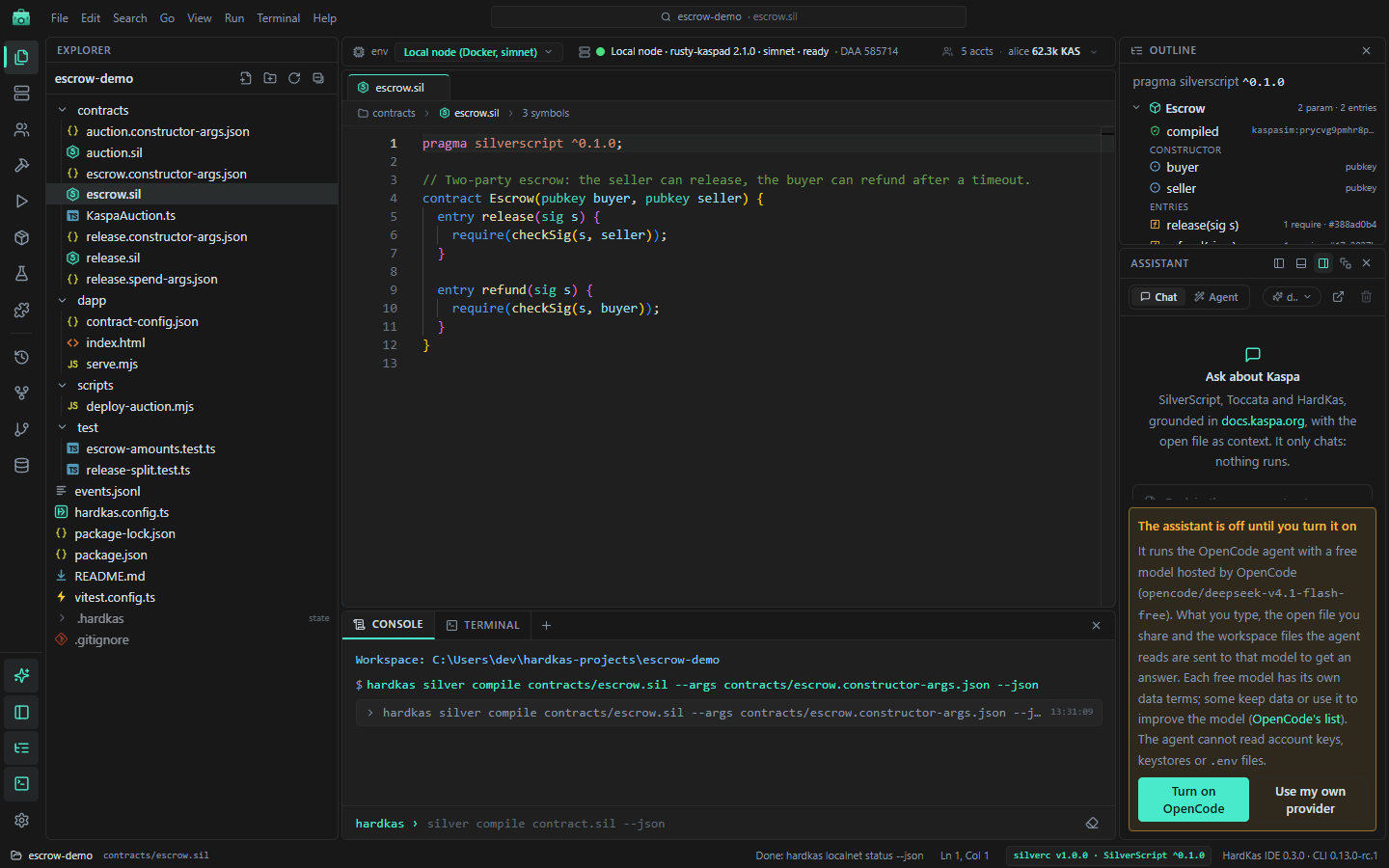
Editor, compiler and covenant inspection
Edit .sil contracts directly in your real project folder with SilverScript syntax highlighting,
completions and instant compilation with Ctrl+Enter.
- Compile with the pinned
silverctoolchain and see diagnostics inline in the editor. - Inspect compiled contract artifacts, entry points, dispatch tags and P2SH script details.
- Every action executes the underlying
hardkasCLI and saves standard.hardkas/records.
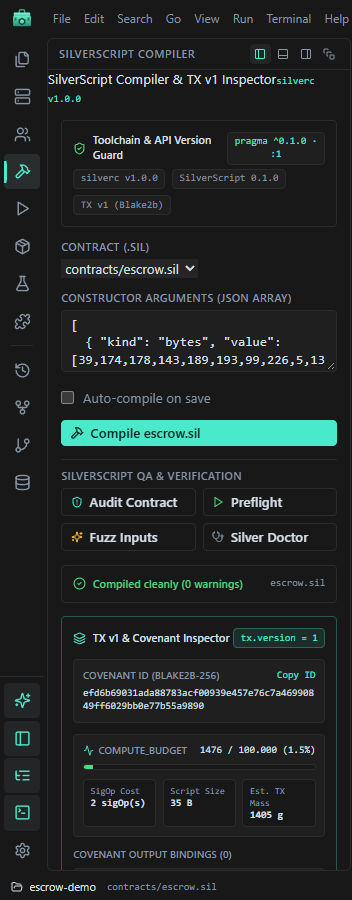
Real rusty-kaspad node in Docker, plus synthetic simulator
Switch between the instant in-memory simulator, a private rusty-kaspad simnet node managed in Docker,
and public testnet-10 from the environment bar.
- Start, stop, restart or reset the local Docker node with live progress.
- Manage dev accounts, inspect balances and export simnet keys to import into KasWare.
- Built-in node explorer for virtual DAA score, mined blocks, mempool and UTXOs.
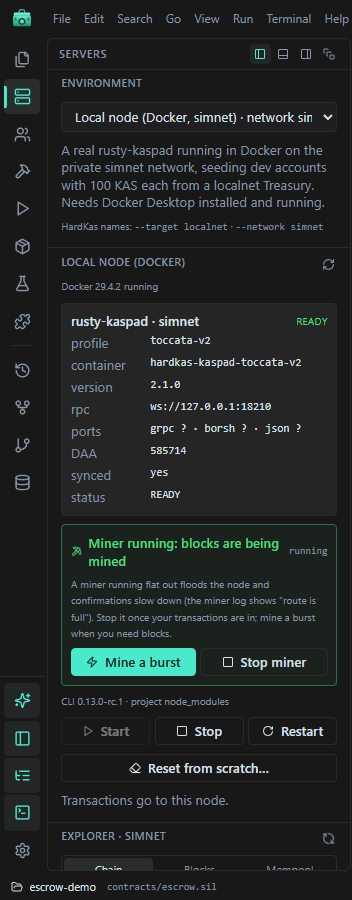
Deploy & Run, artifact lineage and vitest debugging
Build, sign and broadcast transactions or call SilverScript covenant entries from a structured form, with full artifact traceability and integrated test debugging.
- Deploy & Run: fund covenants, invoke each entry point and track per-contract balances and fees.
- Artifacts & Index: browse
TxPlan→SignedTx→TxReceiptlineage, diff artifacts and run read-only SQL over the query store. - Tests & Debugger: run
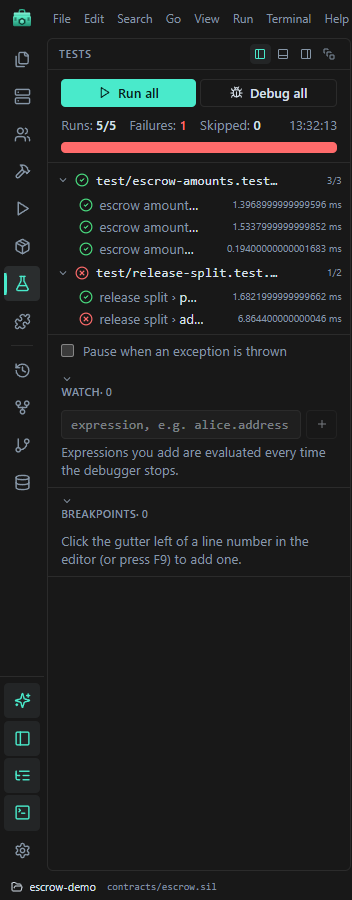
vitestsuites and debug with breakpoints, stepping, variables and watches.
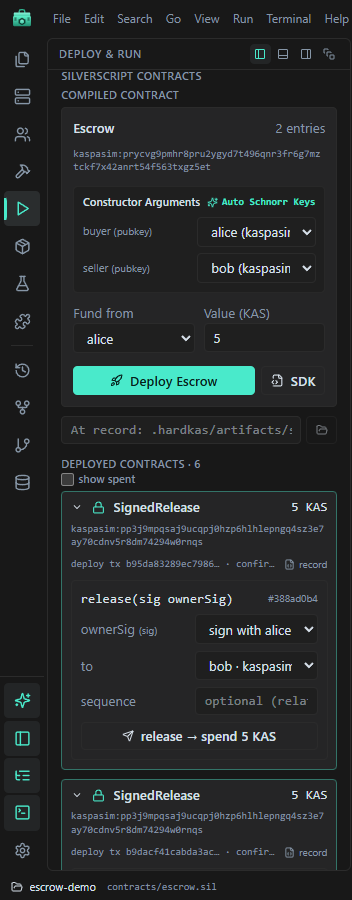
Integrated assistant with explicit consent and key isolation
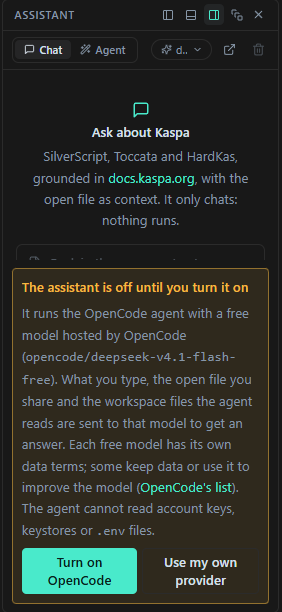
Work with an integrated chat and coding agent powered by open-source OpenCode (or bring your own Claude / OpenAI-compatible key), plus a local MCP server for external agents.
- Off until you enable it; the panel clearly shows what context is sent.
- File edits, shell commands and state-changing HardKAS actions always ask for confirmation first.
- The MCP server lets agents compile, deploy and query your project without ever seeing private keys.
Install HardKAS IDE and open your first project
Every HardKAS IDE project is a standard folder on disk with hardkas.config.ts and .hardkas/,
so you can switch seamlessly between the visual workbench and your terminal.
1. Requirements
Node.js 24.22.1 with npm (the IDE drives the hardkas CLI). Docker Desktop is only required for the local rusty-kaspad node; the simulator needs no Docker.
2. Install & Open
Download the installer for Windows, macOS or Linux from GitHub Releases, then create a new project or open an existing HardKAS workspace.
3. Docs & Source
Follow the IDE installation guide, browse the full IDE reference, or inspect the HardKasIDE repository.
testnet-10.